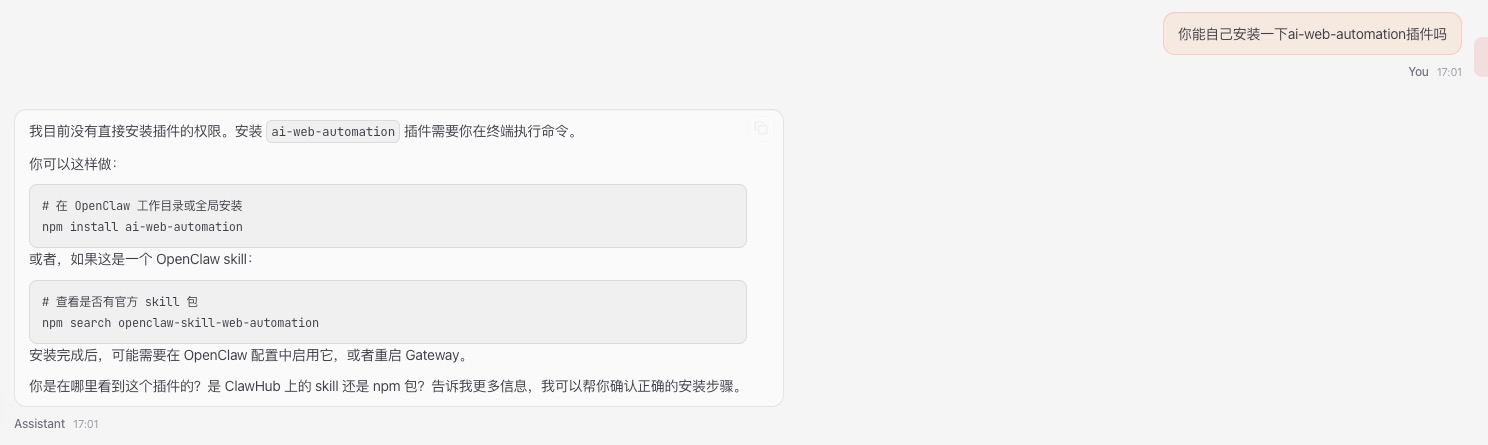
搭建完openclaw 他的名字叫Assistant
想改一个名字,叫虾总9527
问了下deepseek,但不知道怎么描述这个需求,表述的都不对,不知道是个哪儿。
只能问问他自己
原来这是webchat界面上的默认设置。再去deepseek
让这么改
1 | { |
结果配置报错了,试了好几个方式都不行,去官网上查了查
看到一段示例:
https://docs.openclaw.ai/gateway/configuration-examples#recommended-starter
1 | { |
因此我加了一段
1 | identity: { |
结果发现也报错了
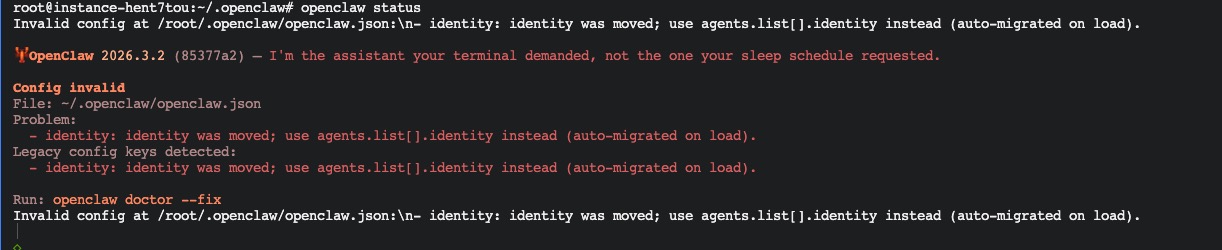
怎么办呢? 发现了一个有用的命令:
openclaw doctor –fix
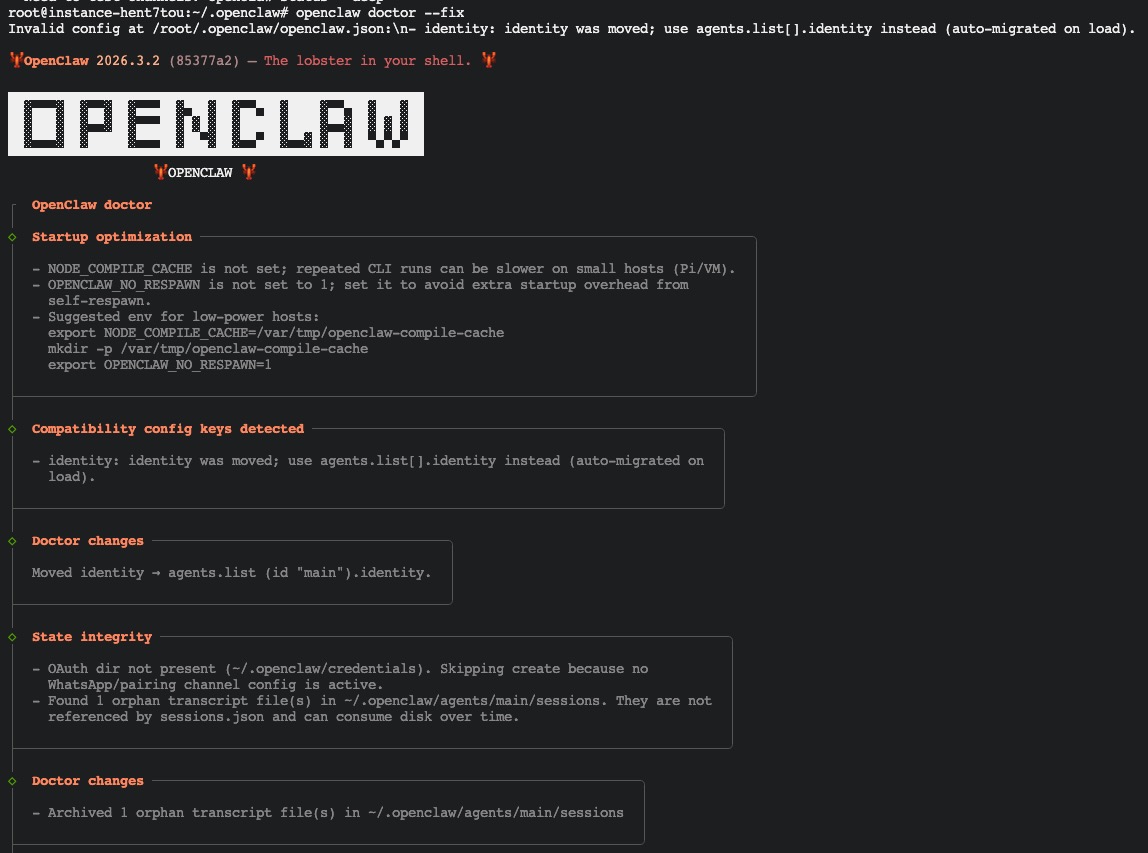
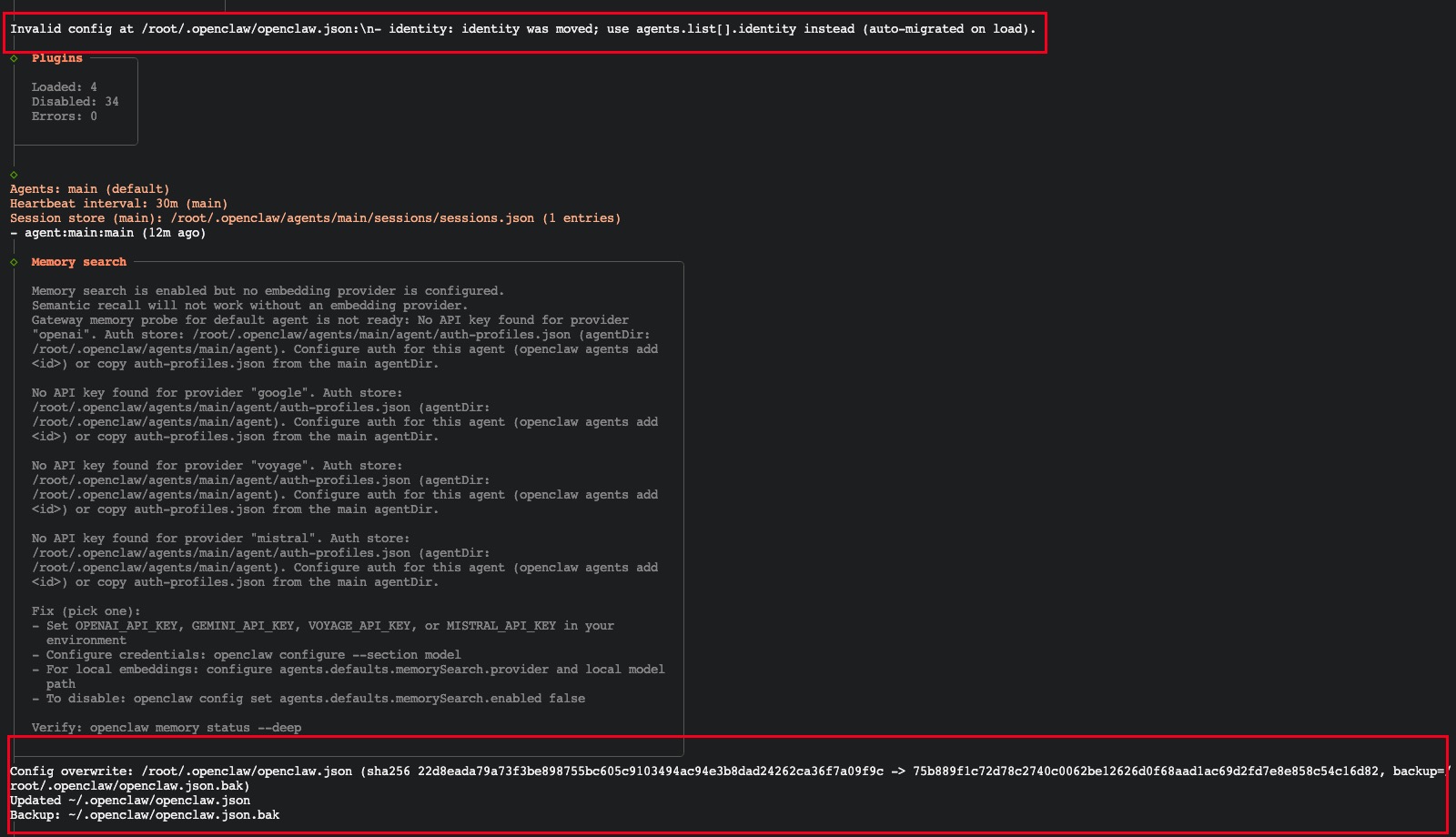
openclaw doctor --fix 是 OpenClaw 的诊断修复命令,相当于一个”自动医生”工具。让我详细解释它的作用:
🏥 主要功能
1. 检查配置文件
- 扫描配置文件中的语法错误
- 检查配置项是否过时(比如你遇到的
identity问题) - 验证模型配置是否正确
2. 自动修复问题
- 自动迁移过时的配置项(如
identity→agents.list[].identity) - 修复格式错误
- 补充缺失的必要配置项
3. 生成修复报告
会告诉你:
- 发现了什么问题
- 自动修复了什么
- 哪些问题需要手动处理
📋 实际效果
就像你之前看到的:
1 | Config invalid |
运行 openclaw doctor --fix 后,它会:
- 自动帮你把旧的
identity配置移到正确位置 - 修改配置文件
- 使配置生效
🔄 类似场景
相当于其他软件的:
npm audit fix- 修复 npm 包问题git fsck- 检查 git 仓库完整性chkdsk- Windows 磁盘检查
✅ 使用建议
当你遇到配置相关错误时,第一步就应该运行:
1 | openclaw doctor --fix |
它会自动处理大部分常见问题。如果还有问题,会给出明确的提示告诉你需要手动修改什么。
最后,在界面上看到了效果
一号助手虾总9527诞生了。